
Your store isn’t broken. It’s just an iceberg.
Here’s a pattern we run into constantly: a founder calls us convinced their store “just needs a redesign.” We open the admin, poke around the backend for twenty minutes, and the real story starts to surface. The theme is fine. The problem is everything underneath it, the automations that were never built, the integrations held together with duct tape, the checkout logic running on a feature Shopify quietly deprecated two years ago.
That’s the thing about scaling problems: they’re invisible from the storefront. Nobody bounces off your site because your reorder points are guesswork or your theme code has no version history. But those are exactly the things that decide whether a store handles its next 10x in growth, or buckles under it.
We’ve pulled together the 15 issues that show up almost every single time we run a technical audit on a Shopify Plus store. Consider this the “under the waterline” list.

1. You’re treating every customer like a stranger
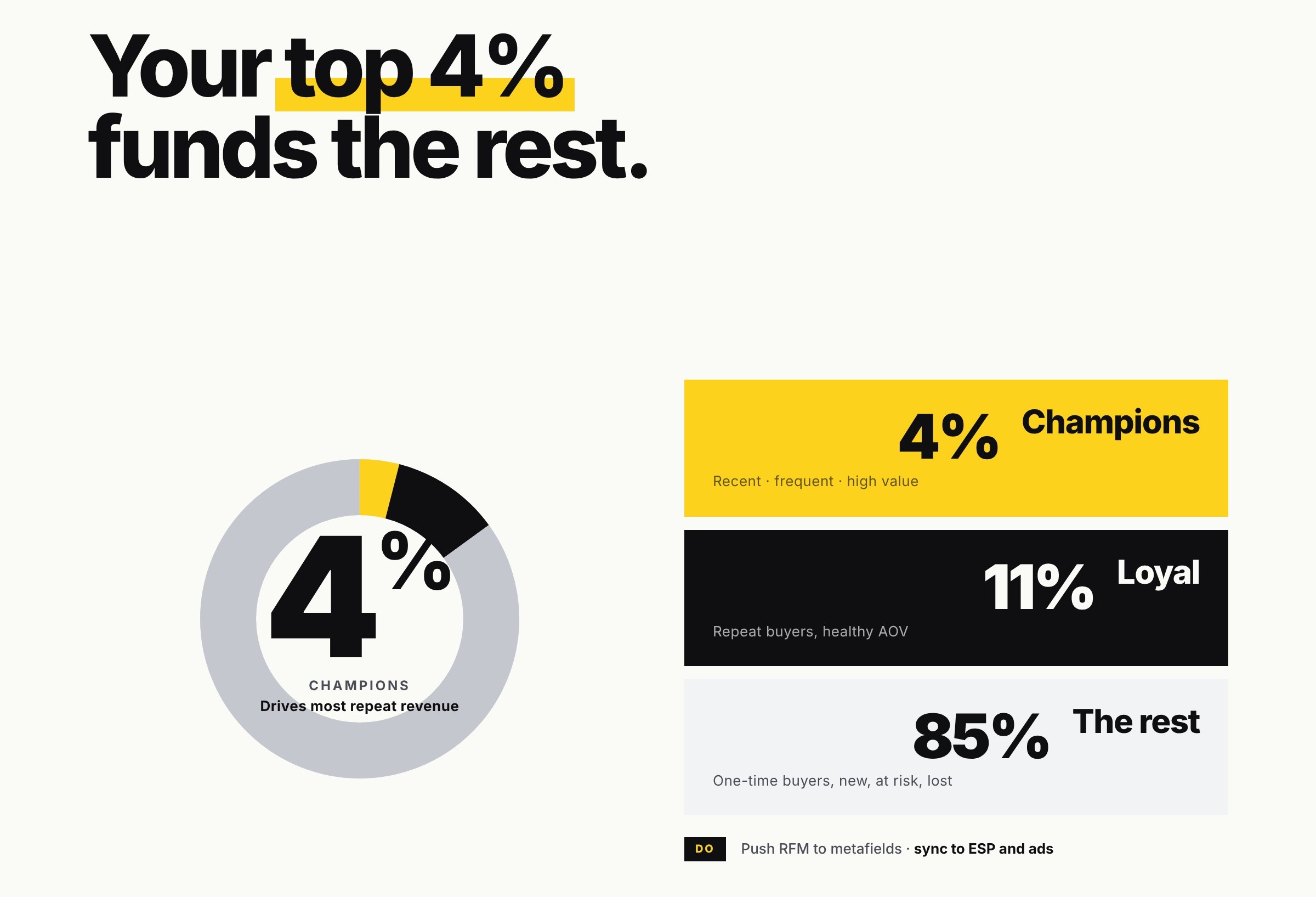
Most stores acquire a customer, sell them once, and then greet them like a total stranger on visit number two. Meanwhile, Shopify’s native Customer Segments, built right into the admin, no extra app required, can already tell you who your best customers are by spend, order count, and recency. Almost nobody goes past the default templates.
What we’d do: Build real RFM-style segments, push them into metafields so they’re queryable everywhere, and sync them out to your ESP or CDP so your “VIP” customers actually get treated like VIPs.
2. Your automation dies after the abandoned cart email
Congratulations, you’ve automated the easiest email in ecommerce. What about everything after? Shopify fires off a whole trail of useful webhooks, orders/create, fulfillments/update, orders/paid, and most of them go completely unused.
What we’d do: Map every meaningful Shopify event to a real lifecycle moment, so post-purchase, replenishment, and win-back flows trigger off actual customer behavior instead of a generic “3 days later” timer.
3. Your segments are stuck inside Shopify
You built a beautiful segment in Shopify Admin. Great. Does your ad platform know about it? Does your email tool? If the answer’s no, you’ve built a very nice report that nobody’s actually using to sell anything.
What we’d do: Push segment membership into metafields and sync it out via the API, so your ads, your emails, and your on-site personalization are all reading from the same brain.
4. Your “Thank You” page is still the default one
The moment right after checkout is peak anxiety for a customer, did it work, when’s it arriving, did I just get scammed, and most stores hand that moment over to Shopify’s generic order-status page. Checkout Extensibility has let merchants build a real branded post-purchase experience for a while now. Barely anyone’s using it.
What we’d do: Replace the default page with live tracking, a relevant cross-sell, and next-step content, turn the most anxious moment in the journey into the most reassuring one.
5. You’re reordering stock by vibes
Shopify (or your ERP) already knows your sell-through rate by SKU and location. And yet reorder decisions still get made by someone eyeballing a dashboard and guessing. This is how you end up simultaneously out of your bestseller and drowning in a product nobody wants.
What we’d do: Pull real velocity data via ShopifyQL or the Admin API, set data-driven reorder points, and connect that straight into whatever actually places the purchase order.
6. Someone’s processing returns by hand, one at a time
If a support agent is manually clicking through refunds in the admin, you’re not just wasting their time, you’re throwing away the product-level return data that would tell you exactly which SKU has a sizing problem or a quality issue.
What we’d do: Set up a self-serve returns flow (native, or via Loop/AfterShip) with automated store-credit issuance, plus a simple return-rate-by-SKU report so patterns show up before they become a trend.
7. Your theme is a museum of quick fixes
Every Plus store we’ve inherited has some version of this: clean Online Store 2.0 sections tangled up with old Liquid hacks, dead code from apps nobody remembers installing, and zero version history. It works fine. Right up until one small change breaks something nobody can explain, at the worst possible time.
What we’d do: Move development into Shopify CLI with real Git version control, run Theme Check as standard practice, and quietly migrate the old hacks into clean, documented sections and blocks.
8. You’re running checkout logic on a feature Shopify already retired
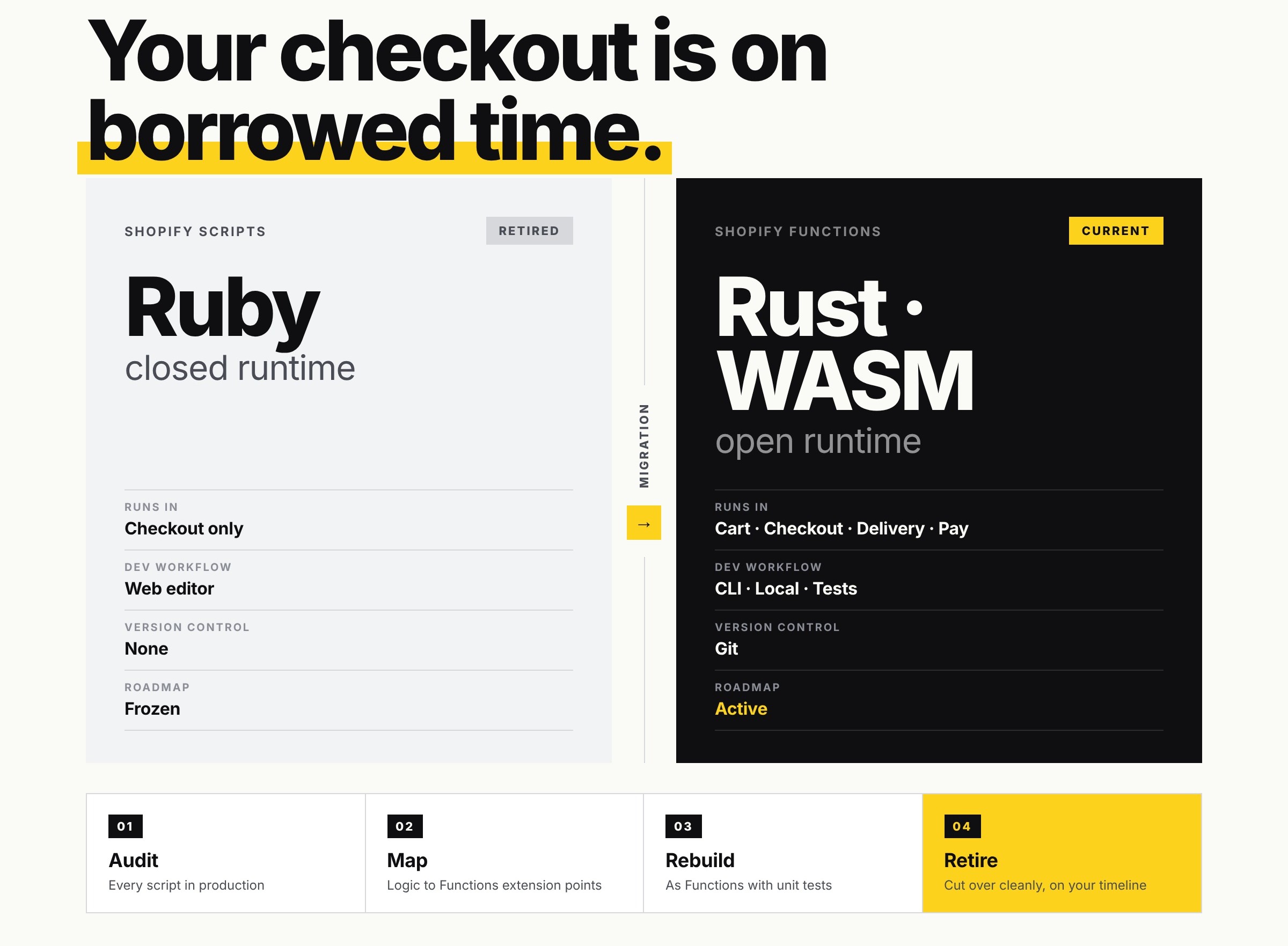
If your custom discount or checkout logic is still built on Shopify Scripts, it’s running on borrowed time, Shopify’s own roadmap moved to Shopify Functions a while ago, and Scripts isn’t where new investment is going.
What we’d do: Audit anything still living on Scripts and rebuild it as Functions before a platform change forces the migration on your timeline instead of ours.
9. Your team is doing by hand what flow was built to automate
Tagging orders, flagging risky ones, routing fulfillment, syncing thresholds, this is precisely what Shopify Flow exists for, and it’s one of the most underused tools on the entire platform.
What we’d do: List out the most repeated manual tasks your ops team does every week, and turn them into Flow workflows (or a lightweight custom app for anything Flow can’t reach) so their time goes toward things that actually need a human.
10. Your “International” store is just your domestic store with a passport stamp
Selling internationally without Shopify Markets properly configured means currency, local pricing, and duties are all being handled by hope. That’s a rough way to run checkout in another country.
What we’d do: Set up dedicated Markets for your meaningful regions, get local pricing and duty calculation working (Markets Pro if that complexity warrants it), and stop letting your default market bleed into every country you ship to.
11. Your Subscriptions Are Bolted On, Not Built In
A lot of subscription setups were chosen years ago and never revisited — meaning they may not be running on Shopify’s native subscription contract APIs, which matters more than it sounds for how cleanly things integrate going forward.
What we’d do: Check whether your subscription app is built on native contracts, and if it isn’t, plan the migration before an app change makes the decision for you.
12. You’re guessing on cart and checkout instead of testing
Checkout Extensibility means you can test upsells, payment placement, and trust messaging around checkout without touching Shopify’s core code. Most stores still ship changes based on “I think this looks better” instead of an actual test.
What we’d do: Stand up a real experimentation layer built for Shopify’s checkout constraints, so pricing and bundling changes get validated with actual statistical significance before they’re permanent.
13. Every tool you own talks to Shopify differently
ERP over here, 3PL over there, CRM connected via a Zapier flow someone set up in 2022 and forgot about, and finance running on something else entirely. Order status disagreeing between Shopify and your 3PL isn’t the problem. It’s the symptom of a dozen one-off integrations that were never meant to work together.
What we’d do: Build a proper middleware layer on the Admin GraphQL API and webhooks, so every system downstream reads from one consistent event stream instead of reinventing its own.
14. A declined card just means you lose the sale
A failed payment on a subscription renewal is recoverable revenue, if something’s actually listening for it. If nothing is, it’s just gone, quietly, every single month.
What we’d do: Configure dunning management inside your subscription platform, or build retry logic against the API for native contracts, paired with a payment-update email that’s actually written to convert, not a robotic notice.
15. If something broke tomorrow, you’d have no way back
Shopify being a reliable platform doesn’t mean your store’s data is protected. No version history on theme edits, no rollback on bulk changes, apps that quietly strip metafields on uninstall, it’s all one bad afternoon away from real, expensive damage.
What we’d do: Put theme code under Git version control via Shopify CLI, run scheduled structured exports of product, customer, and order data, and critically, actually test a restore. A backup nobody’s ever restored isn’t a backup. It’s a hope.
The real reason we audit this way
None of these 15 things show up in a screenshot of your homepage. That’s exactly why they last so long. A store can look completely polished on the surface and still be one bad quarter away from falling over, because the thing that actually breaks under growth is never the part customers can see.
Fixing the front end gets you a better-looking store. Fixing this list gets you one that doesn’t flinch at 10x the volume.
Where we’d start
|
Priority |
Action |
Why It Matters |
|
Critical |
Wire lifecycle automation to real Shopify order/fulfillment events |
Recovers retention revenue that’s currently unclaimed |
|
Critical |
Move theme code to Git-based version control with Theme Check |
Removes the single biggest source of “unexplained” breakage |
|
High |
Set SKU-level reorder points from real sell-through data |
Fixes stockouts and overstock at the source |
|
High |
Migrate Shopify Scripts logic to Shopify Functions |
Prevents a forced, urgent migration later |
|
Medium |
Build a proper middleware layer between Shopify and ERP/3PL/CRM |
Ends the slow data-drift between systems |
|
Medium |
Stand up a real experimentation tool for checkout and cart |
Turns pricing and bundling decisions from opinion into data |
Final thoughts
The stores that scale cleanly on Shopify Plus aren’t the ones with zero visible flaws. They’re the ones where someone actually went under the hood and dealt with the architecture, the integrations, and the automation that never make it into a homepage screenshot.
This is the exact audit we run for Shopify Plus clients, not a UX checklist, but a real technical and operational teardown of what’s holding growth back. Curious how many of these 15 apply to your store? Get in touch with eCommerce Today and we’ll walk the backend with you, honestly, and show you exactly what we find.