
As mobile commerce continues to dominate, ensuring your Shopify store is optimized for mobile users is essential. A well-optimized mobile site enhances user experience, boosts SEO, and drives higher conversion rates.
📱 TL;DR: The 2024 Mobile Optimization Playbook
- Foundation First: Start with high-performance, mobile-native themes like Dawn or Crave to ensure automatic responsiveness and rapid load times across all devices.
- Frictionless UX: Prioritize "tappability" with CTA buttons at least 48px wide, and eliminate navigation clutter using collapsible menus and sticky headers.
- Visual Performance: Balance aesthetics with speed by utilizing lazy loading and image compression to prevent heavy high-res assets from slowing down the mobile experience.
- Conversion Engineering: Strip away intrusive popups and implement guest checkouts with auto-fill capabilities to reduce the "thumb-fatigue" that leads to cart abandonment.
- Continuous Evolution: Mobile optimization isn't "set and forget"—leverage tools like Google PageSpeed Insights and Shopify Analytics to monitor performance and adjust to shifting user behaviors.
- Action: Audit your current theme’s mobile performance today. Contact eCommerce Today to transition from a standard mobile site to a high-speed, high-conversion flagship.
1. Choose Online Store 2.0 and Fast-Loading Themes
Start with a modern, OS 2.0 responsive theme. While legacy themes like Debut and Brooklyn were once standards, they lack the modularity and speed required today. Popular themes like Dawn, Sense, and Focal are designed with a mobile-first approach, allowing for “Sections Everywhere.” This means a senior dev team can hide heavy desktop elements on mobile to drastically reduce page load times—a critical factor for retaining on-the-go users.
Why OS 2.0 Matters:
- Modular Architecture: Use “Sections Everywhere” to customize mobile layouts without touching liquid code.
- Selective Loading: Senior developers can now hide heavy desktop assets (like 4K hero banners) specifically for mobile users.
- Top Theme Recommendations: * Dawn: The gold standard for lightweight performance.
- Sense: Optimized for storytelling and “soft-brand” trust-building.
- Focal: Best-in-class for high-volume catalogs and complex filtering.
2. Streamline Navigation and Layout
Effective navigation is crucial for mobile users. Simplify your navigation menu to make it easily accessible from any page. Use collapsible menus and clear categories to avoid clutter. Sticky navigation bars can keep essential options like the cart and menu visible as users scroll. The Brooklyn theme offers a user-friendly navigation setup ideal for mobile optimization.
Mobile Navigation Best Practices:
- The Sticky Header: Keep the “Menu” and “Cart” icons visible at all times, but minimize their height to save screen real estate.
- Collapsible Elements: Use accordions for product details and FAQs to keep the page length manageable.
- Visual Hierarchy: Prioritize a “Search” bar that is easy to tap, as mobile users who search convert at 2x the rate of those who browse.
3. Optimize Call-to-Action (CTA) for One-Handed Use
CTA buttons drive your ROI. On mobile, they must be easily tappable—at least 48 pixels wide—and surrounded by ample white space to prevent “fat-finger” errors. In 2026, we recommend “Sticky CTAs” on product pages that stay visible at the bottom of the screen as the user scrolls through images. A/B testing different placements ensures you aren’t leaving money on the table due to poor button ergonomics.
The 2026 CTA Checklist:
- Target Size: Ensure all buttons are at least 48×48 pixels to prevent “fat-finger” errors.
- The “Sticky” Add-to-Cart: Implement a button that stays docked at the bottom of the screen as the user scrolls through product images.
- White Space: Surround CTAs with enough negative space to make them the undisputed focal point of the page.
4. Focus on Font and Text Optimization
Select simple, legible fonts and increase font sizes to improve readability on smaller screens. Avoid long blocks of text by using bullet points, short paragraphs, and expandable sections to present information concisely. This enhances readability and keeps users engaged without overwhelming them. The Minimal theme is particularly good at presenting text in a clean, readable format suitable for mobile devices.
Mobile optimization is no longer a static “set it and forget it” task; it is a journey of constant refinement and technical evolution. By shifting from a basic “Responsive” design to a Revenue-First mindset, you do more than just improve aesthetics—you actively protect your margins and future-proof your store against the next wave of AI-driven search engines.
To ensure your Shopify store remains a high-performing asset in 2026, our strategy focuses on:
- Systemic Optimization: Moving beyond “bug fixes” to enhance the entire user journey.
- Measurable ROI: Turning mobile traffic into captured revenue through data-backed UI tweaks.
- Future-Proofing: Aligning your site structure with modern AEO (Answer Engine Optimization) standards.
5. Advanced Visual and Image Optimization
High-quality visuals are essential, but must be served intelligently. Use WebP or AVIF formats to reduce file sizes without compromising quality. Implement Lazy Loading so images only load as they enter the viewport, and always define image dimensions to prevent Cumulative Layout Shift (CLS)—that annoying “jump” in content as images load. Themes like Impulse are excellent at handling high-resolution imagery without sacrificing mobile performance.
Technical Image Optimization:
- Next-Gen Formats: Use WebP or AVIF to maintain crispness at 30% of the file size of a JPG.
- Lazy Loading: Set images to load only as they enter the viewport.
- Explicit Dimensions: Always define width and height in your code to prevent the page from “jumping” while loading.
- Video over GIFs: Use autoplaying, muted MP4s instead of GIFs; they are significantly smaller and smoother.
6. Avoid Intrusive Popups
Intrusive popups are one of the primary drivers of high bounce rates on mobile devices. When a full-screen overlay blocks a user’s view before they’ve even engaged with your brand, it disrupts the shopping flow and creates immediate frustration. In the 2026 SEO landscape, Google penalizes sites that hinder content accessibility, making “intrusive interstitials” a direct threat to your search rankings.
To capture leads without sacrificing the user experience, top-performing Shopify stores are pivoting toward subtler, high-conversion alternatives:
- Non-Intrusive Banners: Use slim top-bar notifications or “floating bubbles” to promote discount codes or email signups.
- Action-Triggered Overlays: Set popups to appear only after a user has scrolled 70% of the page or demonstrated “exit intent.”
- Optimized Close Buttons: Ensure the “X” is large enough for a thumb to tap easily (minimum 44px) to prevent accidental clicks on the ad itself.
7. The “One-Tap” Mobile Checkout Process
Streamline the checkout to reduce friction. In 2026, Accelerated Checkouts (Shop Pay, Apple Pay, Google Pay) are mandatory. Implement guest checkout to avoid forcing account creation, and ensure the UI is stripped of any non-essential elements. Display shipping costs and “Free Shipping” thresholds upfront to prevent cart abandonment at the final stage.
Essential Checkout Features:
- Accelerated Payments: Shop Pay, Apple Pay, and Google Pay are no longer optional—they are mandatory for conversion.
- Guest Checkout by Default: Don’t force users to create a password on a mobile keyboard.
- Address Auto-Fill: Integrate Google Maps API to allow users to find their address in two taps.
- Transparency: Display shipping costs and “Free Shipping” progress bars early to avoid “sticker shock” at the final step.
8. Utilize Mobile Analytics
In 2026, high-growth Shopify stores no longer rely on guesswork; they use real-time data to refine the mobile experience. Leveraging robust analytics tools allows you to continuously monitor performance and pinpoint the exact moments where users drop off. By shifting from a static design to a data-informed strategy, you can proactively address technical debt before it impacts your bottom line.
To maintain a competitive edge, your optimization team should focus on the following key performance indicators:
- Core Web Vitals: Use Google PageSpeed Insights to monitor LCP (Largest Contentful Paint) and CLS (Cumulative Layout Shift) specifically for mobile agents.
- User Behavior Mapping: Analyze Shopify’s built-in reports to see how “Add to Cart” rates differ between desktop and mobile users.
- Heatmapping: Identify where users are clicking—or failing to click—to ensure your navigation and CTAs are ergonomically placed for thumb-driven browsing.
Advanced Shopify themes, such as Prestige, are now engineered with native analytics integrations that make tracking these metrics more intuitive. By using this data to make informed, incremental improvements, you can transform your store into a high-conversion machine that evolves alongside your customers’ habits. Ultimately, the brands that win are those that treat mobile analytics as a compass for long-term ROI.
Popular Shopify Themes for 2026 Mobile Optimization
Selecting the right foundation is half the battle. Here are the top performers for 2026:
- Dawn Theme: The gold standard for speed. It’s lightweight, clean, and perfect for brands that prioritize performance over complex “bells and whistles.”
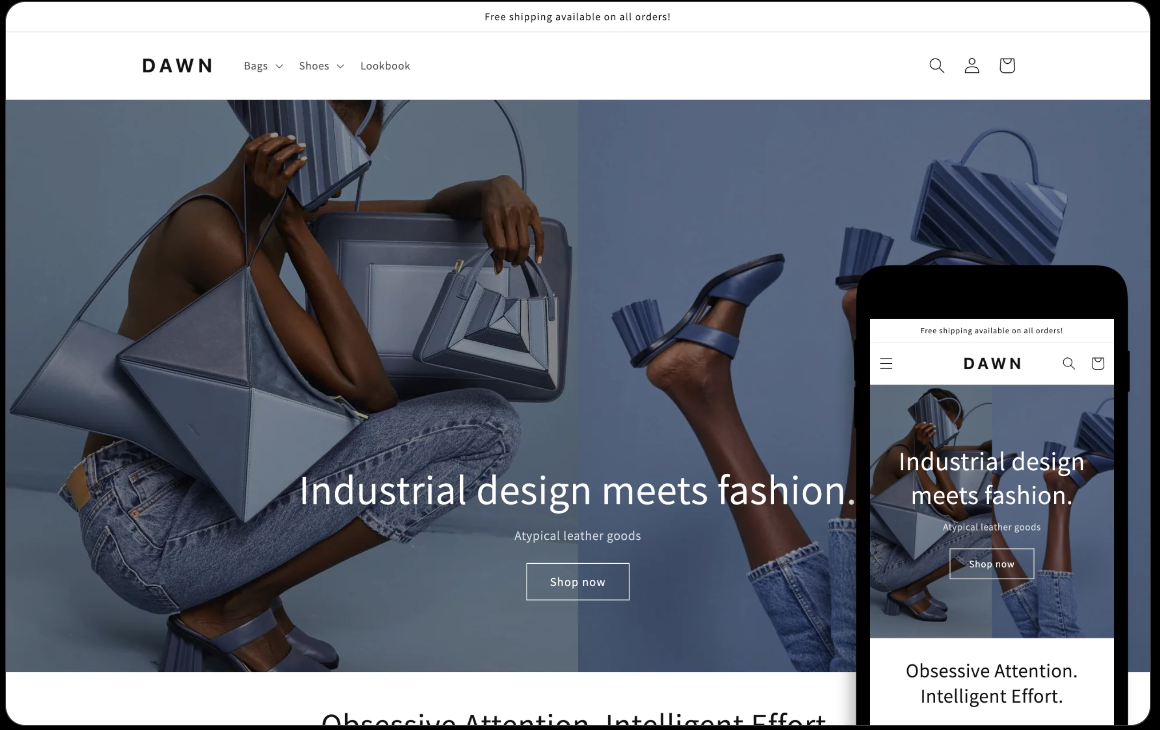
- Focal Theme: Ideal for medium-to-large catalogs. It features advanced mobile filtering and a highly responsive grid layout.
- Prestige Theme: Best for high-end “Editorial” brands. It handles high-resolution video and imagery with sophisticated mobile-first design elements.
-
Sense Theme: Sense is a “Soft-Brand” theme designed specifically for health, beauty, and wellness stores. It focuses on guided selling and establishing trust through a detailed product information layout.
Benefits of Mobile Optimization
- Improved User Experience: A mobile-optimized site ensures that users can easily navigate and interact with your store, increasing satisfaction and engagement.
- Higher Conversion Rates: Mobile optimization reduces friction in the user journey, leading to higher conversion rates.
- Better SEO Performance: Google prioritizes mobile-friendly sites in search results, helping you rank higher and attract more organic traffic.
- Increased Retention: A seamless mobile experience encourages users to return to your store, boosting customer loyalty.
- Competitive Advantage: With more shoppers using mobile devices, a well-optimized mobile site can give you an edge over competitors who have not yet optimized.
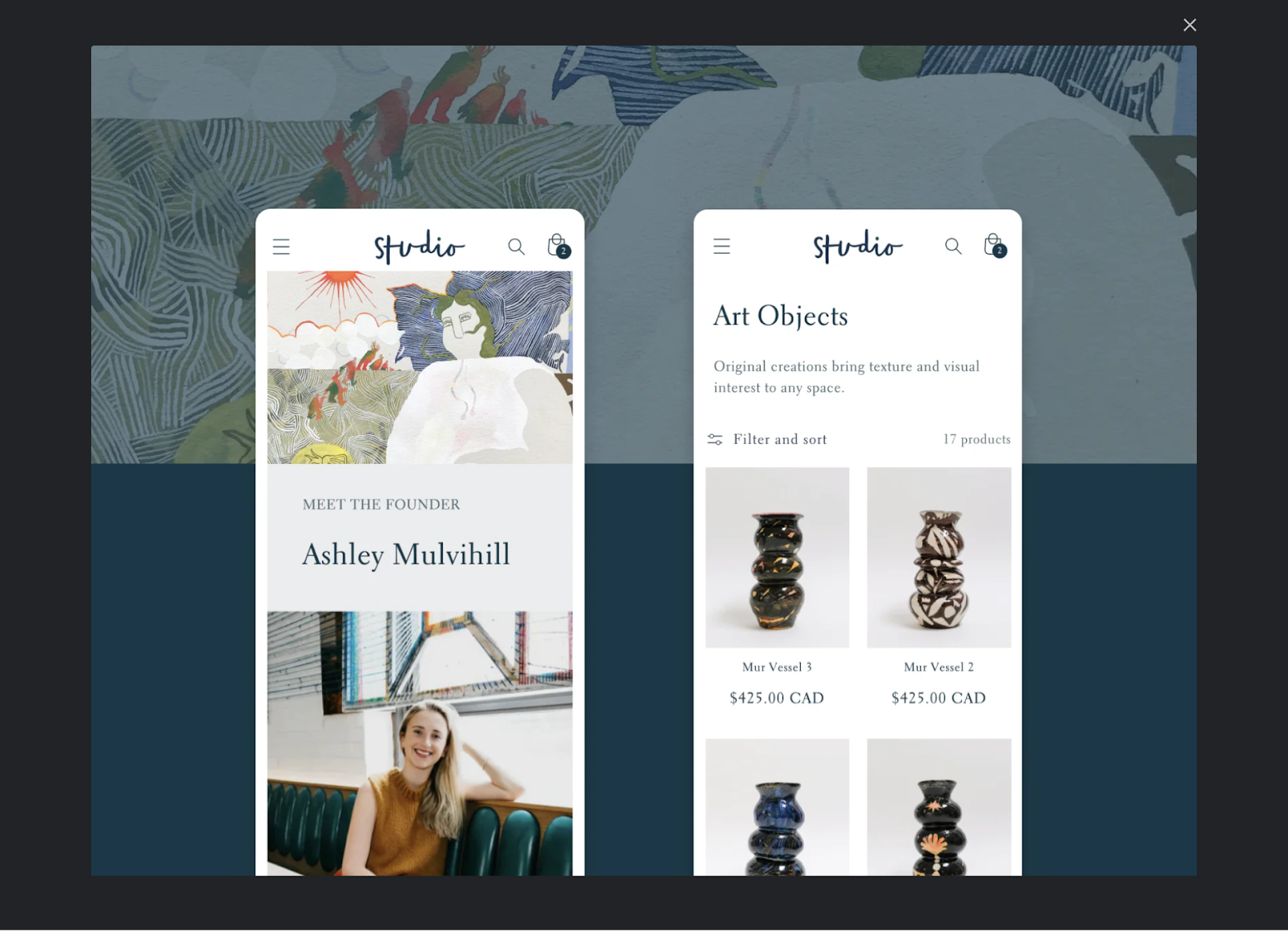
Pro Tips for Mobile Optimization
- Regularly Update Your Theme: Keep your Shopify theme updated to benefit from the latest features and security improvements.
- Test on Multiple Devices: Regularly test your site on different mobile devices and browsers to ensure a consistent experience.
- Monitor Performance: Use tools like Google Analytics to track mobile user behavior and identify areas for improvement.
- Utilize Accelerated Mobile Pages (AMP): Consider implementing AMP to improve load times for mobile users.
- Optimize Product Descriptions: Use concise, clear product descriptions optimized for mobile readability.
- Enable Auto-Fill: Simplify the checkout process by enabling auto-fill for forms and payment details.
Final Thoughts
Mobile optimization is a journey of constant refinement. By shifting from a “Responsive” mindset to a “Revenue-First” mindset, you protect your margins and future-proof your store against the next wave of AI search engines.
At eCommerce Today, we specialize in this high-level execution. Our team doesn’t just “fix bugs”—we optimize the entire system to ensure your mobile traffic turns into measurable ROI.
Frequently Asked Questions
1. What is the most important mobile speed metric for Shopify in 2026?
While LCP (loading speed) matters, Interaction to Next Paint (INP) is the new critical metric. It measures how “snappy” your site feels when a user taps a button.
2. How can I improve my mobile conversion rate immediately?
Enable Shop Pay. Reducing the checkout journey to a single biometric tap removes the #1 cause of mobile cart abandonment: manual data entry.
3. Are pop-ups bad for my Shopify mobile rankings?
Yes, if they are “intrusive.” Google penalizes sites that block the user’s ability to see the main content immediately upon landing. Use bottom-anchored banners instead.
4. Should I use a "Vintage" theme like Brooklyn?
No. Legacy themes lack Online Store 2.0 features and have significantly slower mobile performance, which creates “technical debt” for your business.
5. Why is my mobile traffic high but conversion low?
This is the “Mobile Revenue Gap.” It’s usually caused by technical friction (slow speed), poor ergonomics (hard-to-reach buttons), or a lack of accelerated payment options.
Trackbacks/Pingbacks